> For the complete documentation index, see [llms.txt](https://wiki.luca.education/llms.txt). Markdown versions of documentation pages are available by appending `.md` to page URLs; this page is available as [Markdown](https://wiki.luca.education/web-danh-cho-tri-lieu-vien/quan-ly-ho-so/ho-so-nhan-su/moi-tri-lieu-vien-vao-co-so.md).
# Mời Trị liệu viên vào cơ sở
Giám đốc / Quản lý cơ sở cần mời Trị liệu viên vào Cơ sở can thiệp của mình theo các bước sau
### 1. THÊM TÀI KHOẢN TRỊ LIỆU VIÊN VÀO CƠ SỞ
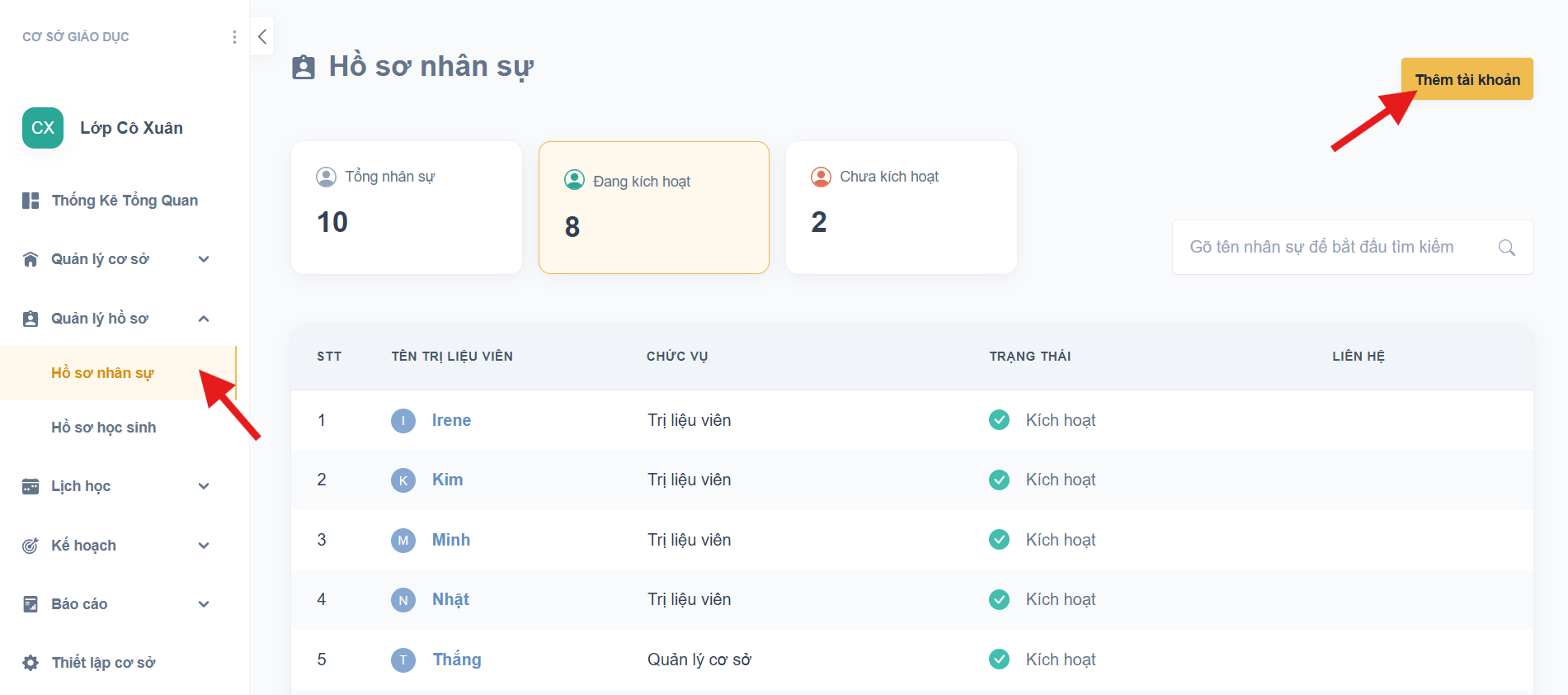
* Chọn **Thêm tài khoản** ở phần Hồ sơ nhân sự
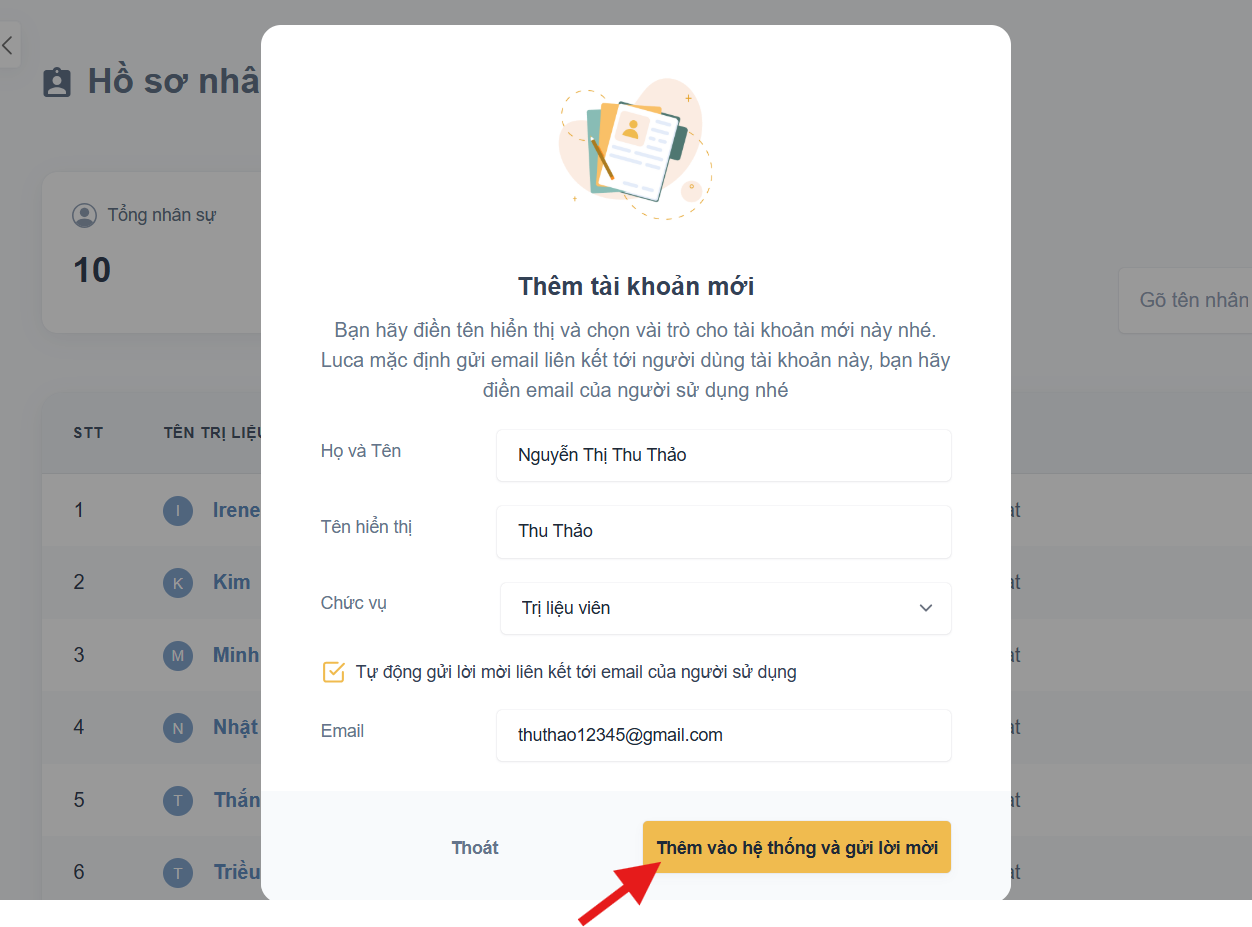
* Điền thông tin của Trị liệu viên
* Sau đó bấm nút **Thêm vào hệ thống và gửi lời mời**
* Lời mời sẽ được tự động gửi đến email của Trị liệu viên
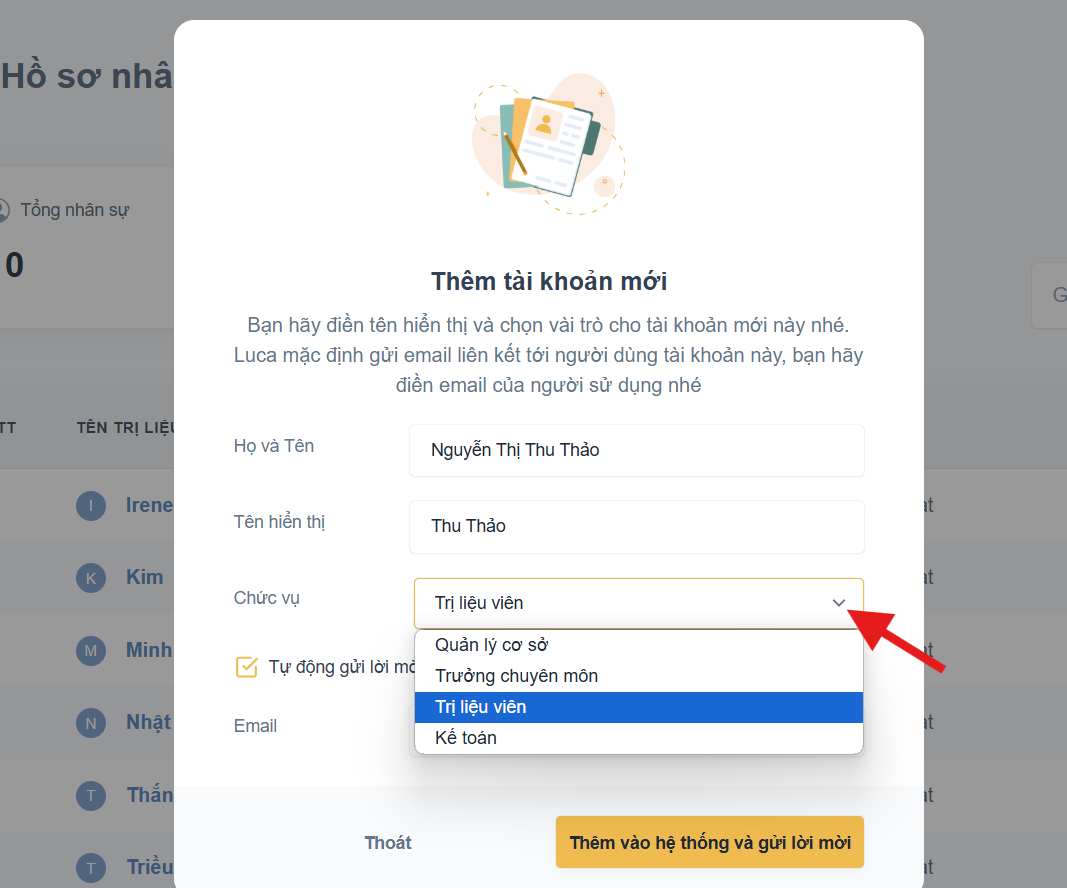
### 2. LỰA CHỌN CHỨC VỤ CỦA TRỊ LIỆU VIÊN
Vui lòng xem thêm bài viết bên dưới để hiểu rõ quyền hạn của các chức vụ
{% content-ref url="/pages/U5FT19ypDGwc9Ir7jOiz" %}
[Các chức vụ được sử dụng trong Luca Education](/goi-y-s-dung/cac-chuc-vu-duoc-su-dung-trong-luca-education.md)
{% endcontent-ref %}
### 3. GỬI LẠI LỜI MỜI / CHỈNH SỬA EMAIL
Trường hợp lời mời của Trị liệu viên đã hết hạn và cần phải gửi lại \
**HOẶC** email của Trị liệu viên bị điền sai và cần chỉnh sửa
* Quản lý chọn **Gửi lại Liên Kết**
* Kiểm tra / chỉnh sửa lại email của TLV và bấm **Xác nhận**
### 4. KIỂM TRA TRẠNG THÁI TÀI KHOẢN CỦA NHÂN SỰ

* **Kích hoạt** = đã chấp nhận lời mời và liên kết tài khoản với Cơ sở của bạn
* **Khoá** = đã bị khoá & không thể truy cập vào Cơ sở của bạn
### 5. TRỊ LIỆU VIÊN KÍCH HOẠT VÀ LIÊN KẾT TÀI KHOẢN VỚI CƠ SỞ CAN THIỆP
{% content-ref url="/pages/STRA0P9FSqgzsGPHVqRn" %}
[Kích hoạt tài khoản cho Quản lý / Trị liệu viên](/web-danh-cho-tri-lieu-vien/quan-ly-ho-so/ho-so-nhan-su/kich-hoat-tai-khoan-cho-quan-ly-tri-lieu-vien.md)
{% endcontent-ref %}