> For the complete documentation index, see [llms.txt](https://wiki.luca.education/llms.txt). Markdown versions of documentation pages are available by appending `.md` to page URLs; this page is available as [Markdown](https://wiki.luca.education/web-danh-cho-tri-lieu-vien/thiet-lap-co-so/thiet-lap-muc-tieu-smart.md).
# Thiết lập MỤC TIÊU SMART
### 1. MỤC TIÊU SMART LÀ GÌ?
Đọc thêm về mục tiêu SMART ở bài viết bên dưới
{% content-ref url="/pages/V5jNWYtHKt7q6eJ8Nz3x" %}
[Mục tiêu SMART](/web-danh-cho-tri-lieu-vien/ke-hoach/muc-tieu-va-huong-dan/muc-tieu-smart.md)
{% endcontent-ref %}
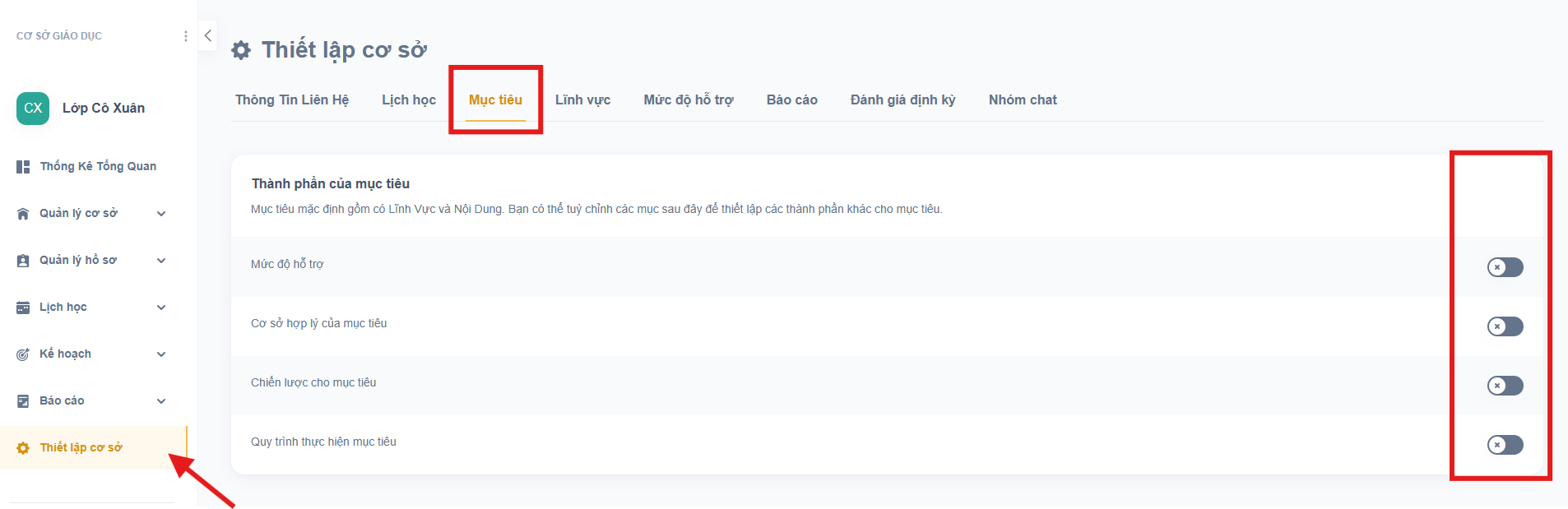
### 2. BẬT / TẮT MỤC TIÊU SMART
Vào **Thiết lập cơ sở**** ⇒ ****Mục tiêu**
***Lưu ý:***
* Chỉ chọn thành phần mà trung tâm bạn sử dụng. Bạn không cần phải bật tất cả các thành phần này.
* Khi đã bật lên, các thành phần này bắt buộc phải được điền đầy đủ.